
Your fleet moves your business. See what moves your fleet.
Fusaro Fleet brings your vehicles, drivers, jobs, fuel, repairs and documents into one place, with a phone app for drivers that keeps working without signal.
Real screens from the app, shown with a fictional demonstration company.
Most fleets run on group chats, spreadsheets and memory.
So simple questions take days to answer. Which vehicle costs most per kilometre? Whose licence expires this month? Who is free for a job right now? Was that fill-up right?
Fusaro puts the answers on one screen, from records your team and drivers already create.
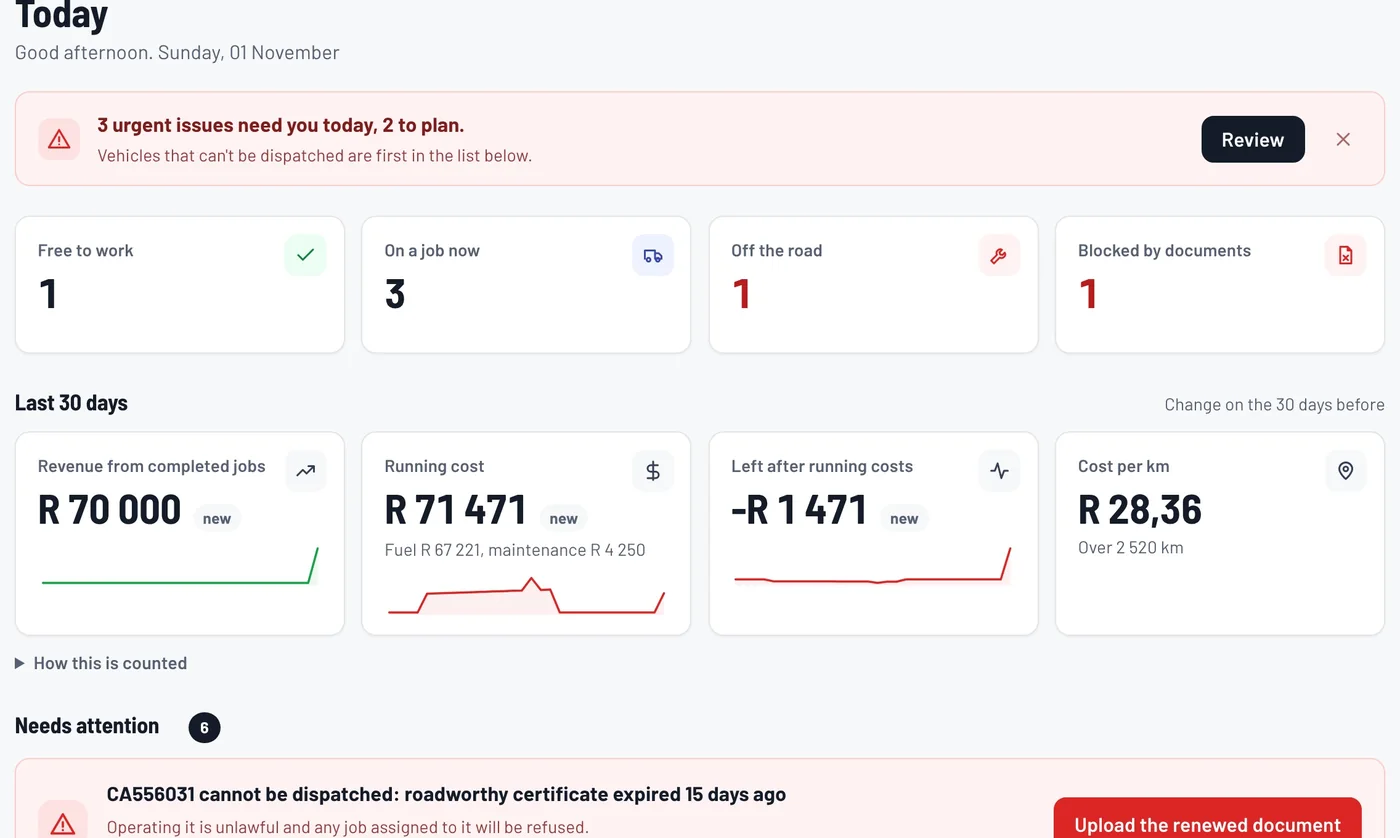
Every morning starts with what needs you
Today shows which vehicles are free, on a job, off the road or blocked by an expired document. Each item says what's wrong, why it matters and the next step, with a button to take it.
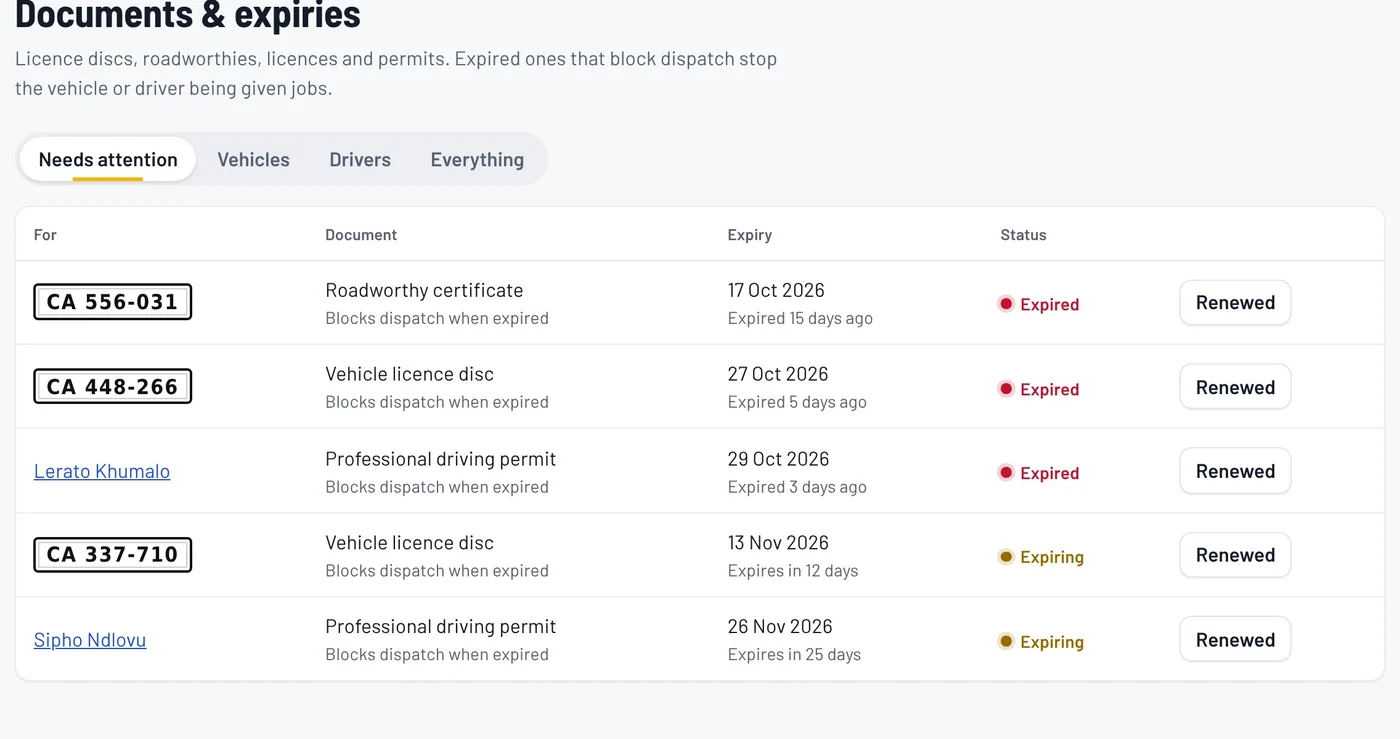
Expired documents can't slip through
Licence discs, roadworthies, operating permits and PrDPs are tracked with their expiry dates. Managers are reminded before they expire, and a vehicle or driver with an expired document can't be given a job.
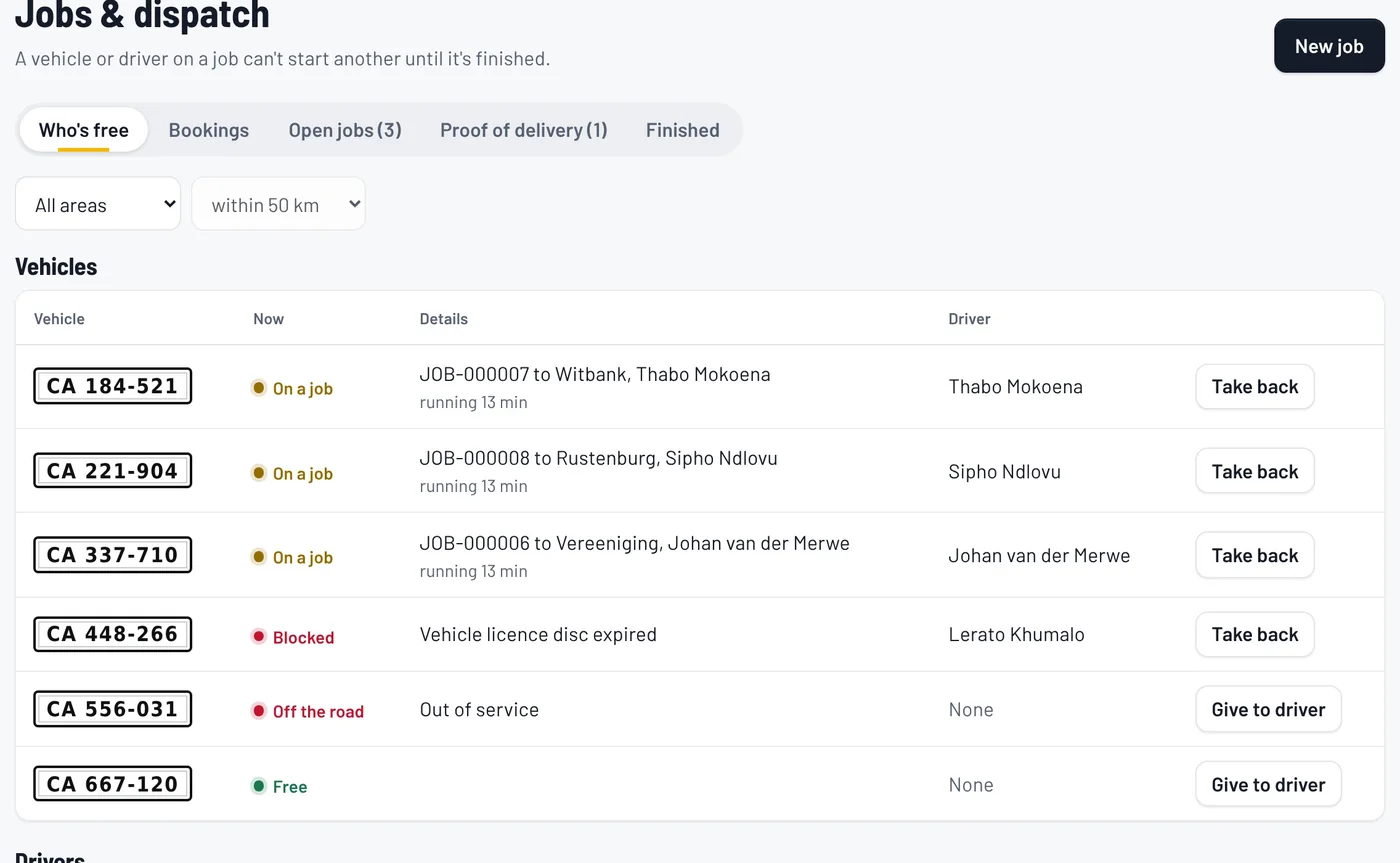
Give out jobs knowing who's free
Jobs and dispatch shows who is free, who is on a job and what's queued. The live map shows where drivers are while they're on duty, and every look back at a route is recorded.
A driver app that works without signal
Drivers get one simple app on their phone: their job, a pre-trip check, a Navigate button for Google Maps or Waze, and fuel slips in a few taps.
- Panic is one press away. With no signal, the alert is saved with the location and sent the moment there is signal.
- One press texts the company's emergency numbers with a map link, because a text often gets through where data can't.
- On long trips the app asks "Are you OK?". If a driver misses a check-in, or goes quiet for too long, the office is alerted with where they were last seen.
- Fuel, checks and proof of delivery wait safely on the phone until there's signal.


Every fill-up checked, every rand accounted for
Each fill-up is checked: litres against price, the odometer against the last reading. Anything that doesn't add up is flagged for the office to correct, and corrections are recorded.
Costs shows what each vehicle cost to run, what it earned and its cost per kilometre. Finished jobs wait in one list to be billed in your accounting system.
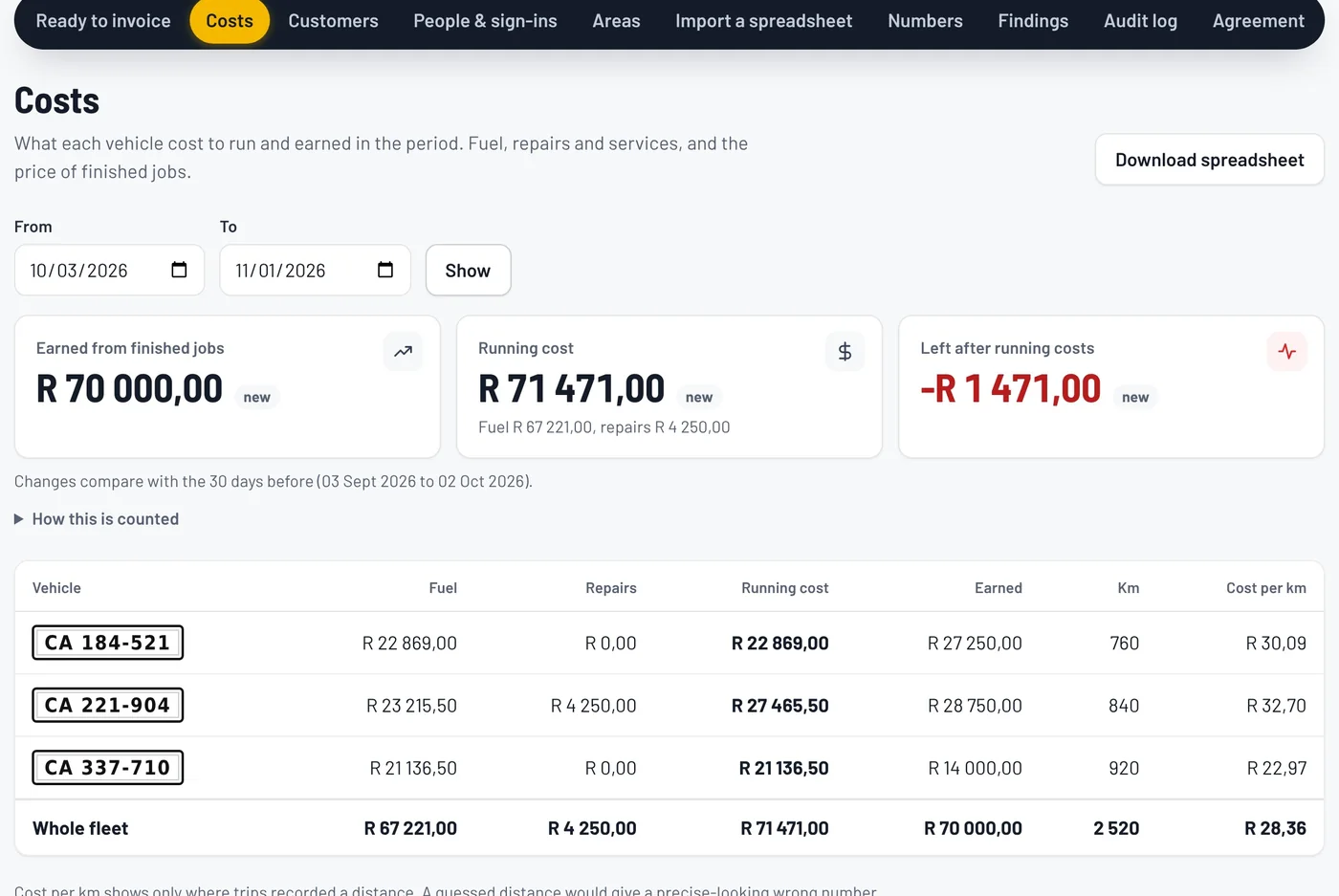
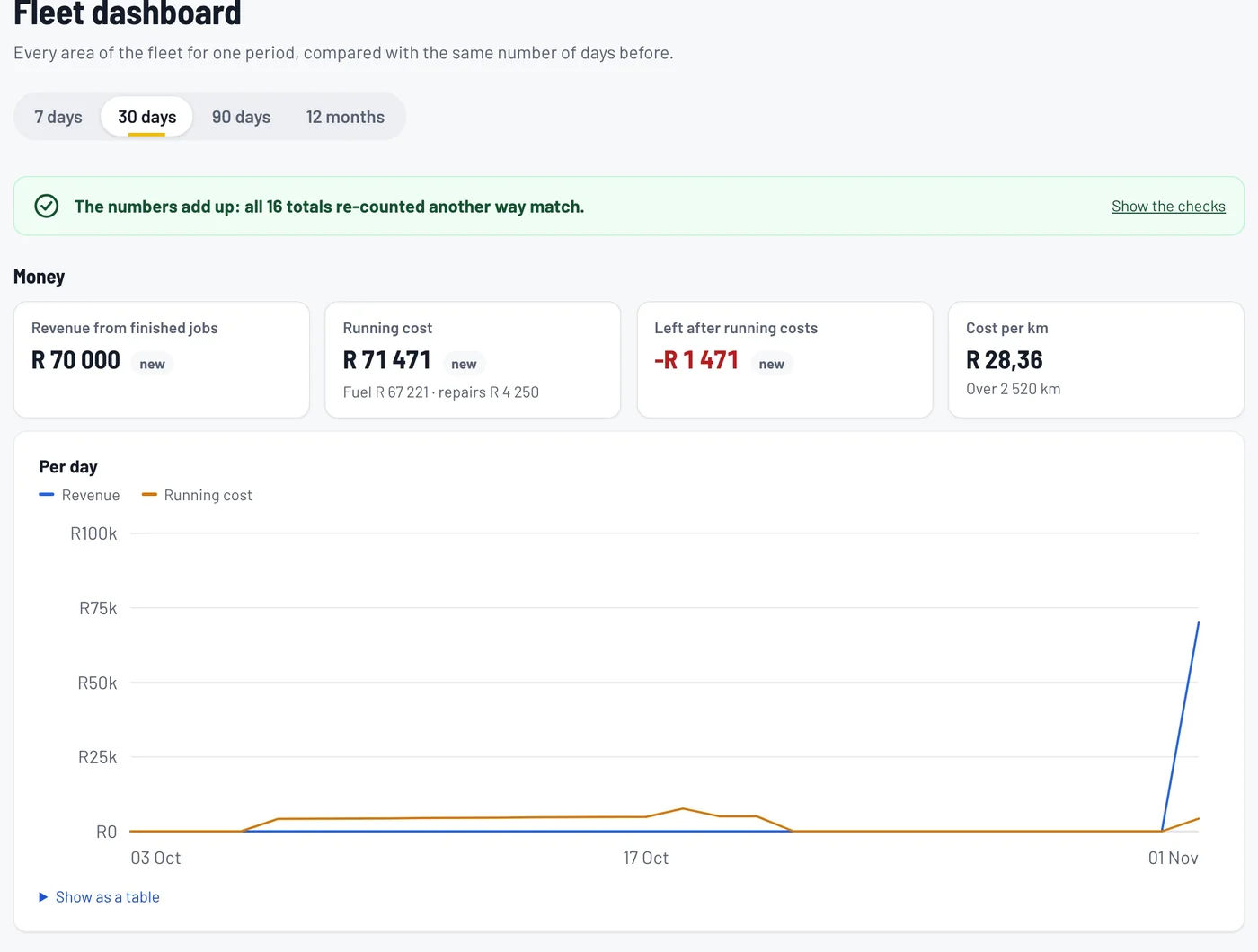
One dashboard, and the numbers add up
Money, jobs, fuel, repairs and safety, each compared with the period before, with a breakdown by vehicle and by driver. The dashboard counts its totals a second way and shows you if anything doesn't match.
Vehicle Economic Health Score
Every vehicle gets a score from 0 to 100, worst first, so you know where to look. Each score shows its reasons: availability, fuel use, repair cost, reliability, documents and use.
When there isn't enough data, it says so instead of guessing.


Built for how South African fleets work
- Your paperwork
- Licence discs, roadworthies, operating permits and PrDPs, in rand, on SA time.
- POPIA from day one
- A signed operator agreement before any driver data goes in. Driver locations are kept only while they're on duty.
- Secure sign-in
- Two-step sign-in for everyone, and office staff are signed out automatically when they step away.
- Nothing to install in the office
- It runs in the browser. Drivers add the app to their home screen.
How a pilot starts
Talk to us
A short call or demonstration to see if Fusaro fits your fleet.
Sign the operator agreement
It sets out how your drivers' information is protected under POPIA.
We set up your company
Your administrator gets an email to sign in, and a checklist walks them through vehicles, documents, drivers and customers.
Drivers get the app
They sign in once with signal and add it to their home screen. Then you're running.
Coming next: connections to vehicle tracker devices and to accounting software. Today, locations come from drivers' phones and invoices are exported as a spreadsheet.
Ask us for a demonstration or a pilot
Call or WhatsApp us, or leave your details and we'll get back to you.